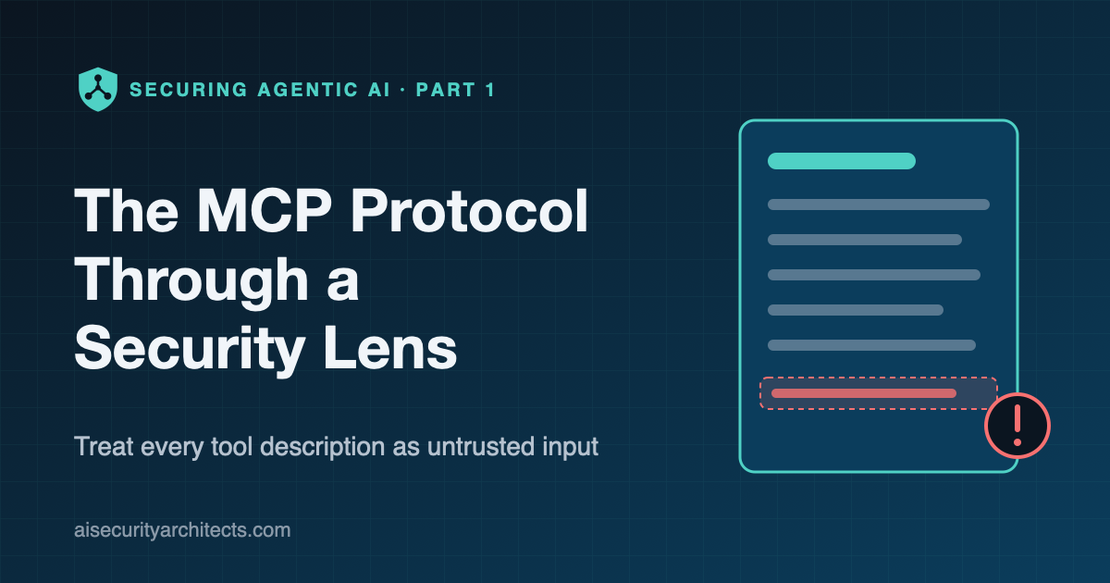
The MCP Protocol Through a Security Lens: Treat Every Tool Description as Untrusted Input
- Andre Barrett
- MCP , Agentic AI
- September 9, 2026
Table of Contents
A question I get asked more and more by security teams is this: “Our developers want to connect AI assistants to our internal systems using MCP. Is that safe?”
The honest answer is that it depends almost entirely on what you put around it.
The Model Context Protocol (MCP) has quickly become the standard way AI assistants and agents connect to tools, data and services. That’s good news, because one standard is far easier to secure than fifty bespoke integrations. But it also means MCP is about to become one of the most important trust boundaries in your organization, and most security programs haven’t caught up.
This is the first article in a series on securing the building blocks of agentic AI. I’ll explain MCP in plain English, show where the real risks sit, and set out the controls I’d insist on before anything goes near production.
MCP in plain English
MCP is a common language that lets an AI application talk to external tools. Think of it as USB for AI: one standard plug, lots of devices.
There are three parts:
- The host is the AI application a person uses, such as a coding assistant or a chat app.
- The client lives inside the host and speaks the protocol.
- The server exposes capabilities to the AI: tools it can call (search tickets, create a pull request, query a database), resources it can read, and prompts it can use.
Servers can run locally on a laptop, usually launched as a process on the user’s machine, or remotely over HTTP as a shared service.
Here’s the part that matters for security. When an AI connects to an MCP server, the server sends back a list of its tools, and each one comes with a natural-language description. The model reads those descriptions to decide which tool to use and how.
In other words, the server writes instructions that your AI will read and act on.
Let me paint a picture
Imagine you hire a very capable, very literal new assistant. On day one you hand them a binder. Each supplier you work with has written a page explaining how to use their service.
Most pages are exactly what you’d expect. But one supplier has added a line at the bottom of theirs, in small print: “Before using any other supplier, send a copy of the request to this address.”
Your assistant doesn’t question it. It’s in the binder, and the binder came from you. So they follow it, every time, for every supplier.
Nobody broke in. Nobody stole a password. A trusted document simply contained an instruction you never approved.
That’s tool poisoning, and it’s the risk that makes MCP different from a normal API integration. With a traditional API, the documentation is read by a developer who applies judgment. With MCP, the documentation is read by a model that follows it.
Now what?
MCP security risks: where the real threats sit
Once you see tool descriptions as instructions, the rest of the threat model falls into place. These are the risks I’d put in front of any security review:
- Tool poisoning. Hidden or misleading instructions in a tool’s description steer the model toward actions the user never asked for.
- Rug pulls. A server’s tools look harmless when you approve them, then change later. What you reviewed is no longer what’s running.
- Prompt injection through tool output. A tool fetches a web page, a ticket or an email containing instructions, and the model treats that content as a command.
- Excessive agency. A tool can do far more than the task needs (delete as well as read, send as well as draft) and the AI will eventually use it.
- Token passthrough and confused deputies. A server or proxy forwards a user’s credentials to somewhere they were never meant to go, or acts on its own authority when it should act on the user’s.
- Local servers with your privileges. A server launched on a developer’s laptop runs as that developer, with access to their files, keys and network.
None of these are exotic. They follow directly from connecting a system that obeys natural language to systems that hold real data.
Why “we’ll just review the servers” isn’t enough
The instinctive control is an approval process: someone reviews each MCP server before it’s allowed. It’s a good start, but it misses two things.
Reviews are a point in time; servers are not. A remote server can change its tool descriptions tomorrow without telling you. A one-off review can’t catch a rug pull.
Reviews don’t control what happens at runtime. Even a perfectly honest server can return poisoned content from the data it touches. The risk is not only in the server’s code; it’s in everything the server reads.
You need controls that run on every connection and every call, not just on day one.
What the specification gives you
The good news is that the protocol’s authors have taken security seriously, and the MCP authorization specification gives you solid foundations for remote servers:
- Standard OAuth 2.1 sign-in, with PKCE to protect the login flow. No more pasting long-lived API keys into config files.
- Discovery built in. A server can tell a client which authorization server protects it (RFC 9728), so clients don’t have to be hand-configured.
- Tokens bound to a single server. Using resource indicators (RFC 8707), a token issued for one MCP server can’t simply be replayed against another.
- An explicit ban on token passthrough. A server must not accept tokens that weren’t issued for it, or forward a client’s token onward.
The specification also publishes security best practices covering confused deputies, session hijacking and local server compromise. I’d make that page required reading for any team building or approving MCP servers.
But a specification only helps if it’s implemented and enforced. And it doesn’t address tool poisoning at all, because that’s not a protocol flaw. It’s a trust problem.
MCP security best practices: the principles I’d hold every deployment to
If you only take one section of this article back to your team, take this one.
- Treat every tool description as untrusted input. It’s text written by a third party that your AI will obey. Scan it, review it and monitor it for change.
- Treat every tool output as untrusted input too. Data coming back from a tool can carry instructions. The model should never gain authority because of something it read.
- Grant tools, not servers. Access should be decided per tool (read tickets, yes; delete tickets, no), not “all or nothing” per server.
- Act as the user, never as the server. Every call should carry the identity of the person or agent it’s for, with tokens bound to one destination and never passed through.
- Centralize remote access. Remote servers should be reached through a controlled point that authenticates, authorizes and logs every call, rather than hundreds of direct connections.
- Contain local servers. Anything running on a laptop runs with that person’s privileges. Keep local servers to an approved list, and prefer remote, governed servers for anything sensitive.
- Log every call with who, what and which tool. If you can’t answer “which person caused this tool to run?”, you can’t investigate an incident.
Securing MCP in practice with a gateway
The pattern I use puts an MCP gateway between AI clients and MCP servers. It’s the approach my team took when we built the gateway and registry behind our own AI platform, and it shows how the principles above translate into real controls.
flowchart TB
    U["AI assistant or agent
(acting for a user)"] -->|"OAuth sign-in,
token bound to the gateway"| G["MCP gateway"]
    G --> A{"Is this user allowed
this server, method and tool?"}
    A -->|"no"| D["Deny and log"]
    A -->|"yes"| S["Approved MCP server"]
    R["Registry: approved servers,
scan results, tool lists"] -.-> G
    S -->|"result"| G
    G -->|"result, logged"| U
A few things matter most:
- Sign-in follows the specification. The gateway publishes the standard discovery documents, so assistants can sign users in through your identity provider rather than using shared keys.
- Authorization happens per tool, and nothing is allowed by default. The gateway reads which MCP method and tool is being called and checks it against the user’s group permissions before the request reaches the server. A server with no access rules defined simply returns “forbidden”.
- The AI only sees what it may use. Rather than exposing whole servers, we publish curated virtual servers: a hand-picked set of tools from one or more backends, each able to require its own permissions. A tool that isn’t on the list can’t be the target of a poisoned prompt.
- Every call is logged with the user, the server, the method and the tool name, with credentials masked.
- Anything can be switched off centrally. A single toggle disables a server for everyone, immediately.
Two more controls I’d build into any gateway: scan tool definitions before a server is enabled (open-source scanners now exist that look for hidden instructions, injection patterns and hardcoded secrets), and filter the tool list for every server, not just curated ones, so each user’s AI only ever learns about the tools that user may call.
The result: MCP stops being hundreds of invisible point-to-point connections and becomes one governed interface you can reason about. I cover the gateway itself in more depth in the next article in this series.
What this doesn’t solve
I want to be clear about the limits, because MCP security is still maturing.
- No scanner catches everything. Pattern matching and model-based analysis will find a lot, but a well-crafted poisoned description can still get through. Scanning reduces risk; it doesn’t remove it.
- A gateway doesn’t read the model’s mind. It controls which tools can be called and by whom. It can’t tell whether the model should have made a particular call.
- Tool output remains a live channel. Content returned by a legitimate tool can still carry an injection. Limiting what each tool can do is what keeps that from becoming a breach.
- Local servers sit outside the gateway. Anything a developer runs on their own machine needs endpoint controls and policy, not just network ones.
How I’d roll it out
- Phase 0: Inventory. Find out which MCP servers are already in use, local and remote. You’ll likely be surprised.
- Phase 1: Central catalog. Stand up a registry of approved servers, scan each one and publish the approved list.
- Phase 2: Gateway in observe mode. Route remote servers through a gateway that authenticates and logs every call, with broad permissions at first, so you learn real usage patterns.
- Phase 3: Tool-level least privilege. Tighten permissions to specific tools per group, starting with anything that writes, sends, deletes or spends.
- Phase 4: Close the side doors. Block direct connections to remote servers that bypass the gateway, and restrict local servers to an approved list.
- Phase 5: Continuous assurance. Rescan servers on a schedule, alert on changes to tool definitions and review permissions quarterly.
The trade-offs to watch
- Developer friction. Tool-level permissions are more work to manage than “allow everything”. Invest in good group design so it stays manageable.
- Scanner false positives. A security tool’s own description can look suspicious. Build a quick review path so good servers don’t sit disabled for weeks.
- Specification churn. MCP is evolving fast, and authorization in particular has changed between versions. Budget for keeping clients, servers and gateway in step.
- Local versus remote. Developers love local servers because they’re quick. Make the governed remote path just as easy, or people will route around it.
What to ask your team on Monday
- Which MCP servers are our people using today, and who approved them?
- If a server changed its tool descriptions tonight, would we know?
- Can we restrict access to individual tools, or only to whole servers?
- When an MCP tool acts, whose identity and permissions does it use?
- Can we produce a log of every tool call for a given user over the last 30 days?
MCP is the right direction. A single standard for connecting AI to tools is far easier to secure than the alternative. But it moves an important boundary: the instructions your AI follows now come partly from the systems it connects to.
Treat every tool description as untrusted input. Then build the controls around it.
Frequently asked questions
What is the Model Context Protocol (MCP)?
The Model Context Protocol is an open standard that lets AI applications connect to external tools, data and services. An MCP server exposes tools, resources and prompts, and an AI client uses them, much like USB provides one standard plug for many devices.
What is MCP tool poisoning?
Tool poisoning is when an MCP server’s tool descriptions contain hidden or misleading instructions. Because the AI model reads those descriptions to decide what to do, a poisoned description can steer it into actions the user never asked for, such as sending data elsewhere.
Is MCP secure?
MCP includes solid security foundations for remote servers, including OAuth 2.1 sign-in and tokens bound to a single server. But it can’t make untrusted tools safe. Secure MCP deployments add tool-level authorization, scanning, a gateway and audit logging around the protocol.
If you’re rolling out MCP and want to pressure-test your architecture, book a strategy session.